
Gain valuable insights into your projects, teams and roles.
Navigate to portals
Select the home icon.
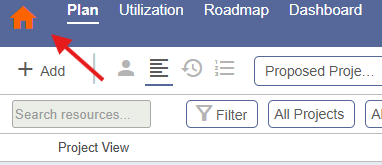
Select portals.

Use the portal settings to choose the portals displayed.
My projects
Project information including manager, status, total remaining work, remaining work assigned to resources and remaining work assigned to placeholders (roles).
Tabs let you view starred projects, projects with remaining work assignments or all projects.
My roles
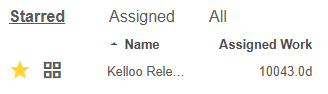
Summary data for the role including total remaining work, remaining work assigned to resources in the role and remaining work assigned to the role itself (placeholders).
Tabs let you view starred roles, roles with remaining work assignments or all roles.
My teams
Summary data for the team including total remaining work and remaining work assigned to resources in the team. Tabs let you view starred teams, teams with remaining work assignments or all teams.
My views and reports
Shortcut access to reports, roadmaps and views you have starred.

Configure portal layout
Use the portal display options to re-order the portals.
Configure portal columns
Configure which columns are displayed in each portal using configure columns.
Open the planner from a portal
Select a project, role or team to open the planner and the planner will filter the data for you.
- Select a project - the planner will filter to include only the roles, resources and teams assigned work in the project.
- Select a role - the planner will filter to include only the projects that have work assigned to the role.
- Select a team - the planner will filter to include only the projects that have work assigned to the team.